
Check every CD fee against your LOS.
LoanRelay reads the Closing Disclosure, matches each fee to the one in your LOS, and lists the ones that don’t agree. Approve a correction and the browser extension enters it in the LOS for you. Saving is still up to you.
Windows and Mac · Chrome and Edge
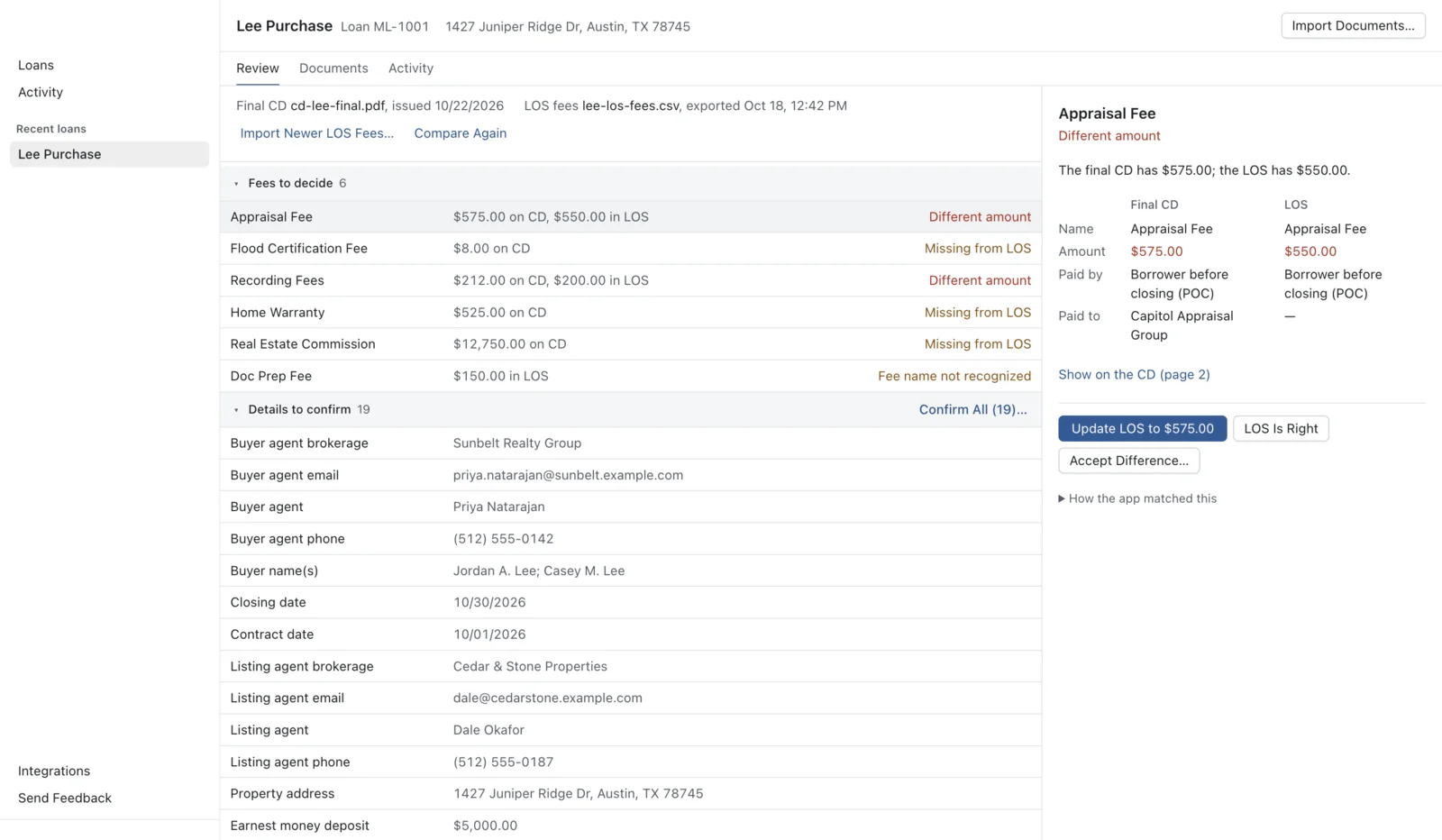
A fee check, start to finish
1Import the CD
Drag the PDF in. LoanRelay reads each fee line, including who pays it and when. If a page is a scan, or the layout isn’t one it knows, it tells you instead of guessing.
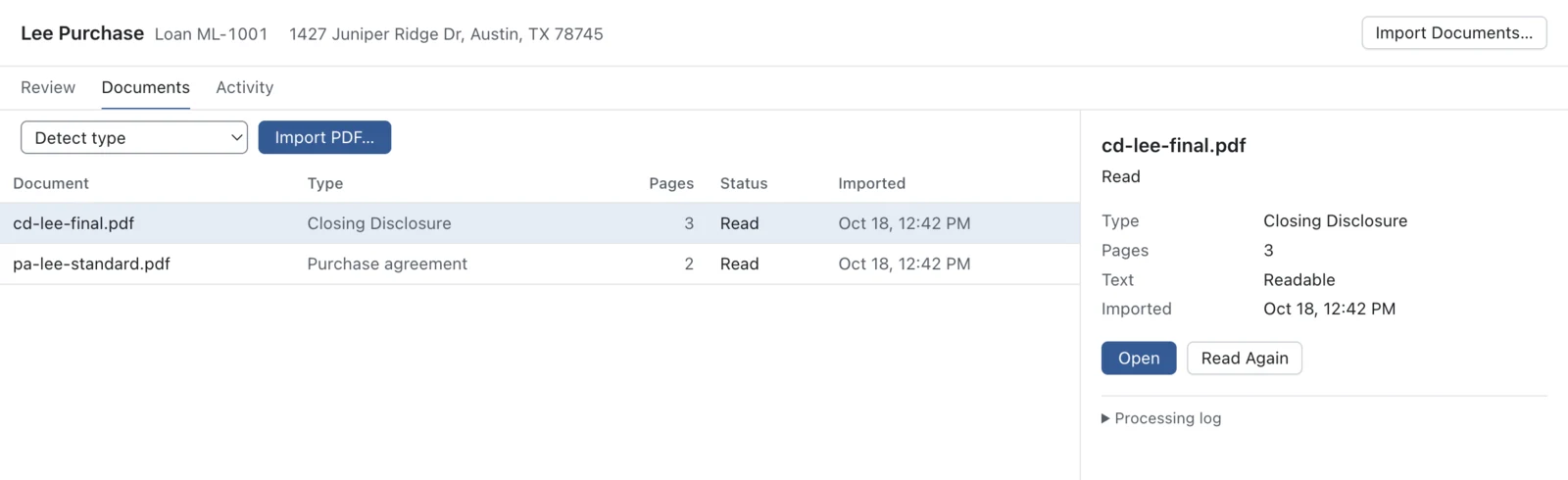
2See what doesn’t match
Bring in your LOS fees from an export, or let the extension read them off the LOS page. Fees that agree are set aside. The rest are listed with the reason, such as Different amount or Missing from LOS, and a link to the line on the CD.
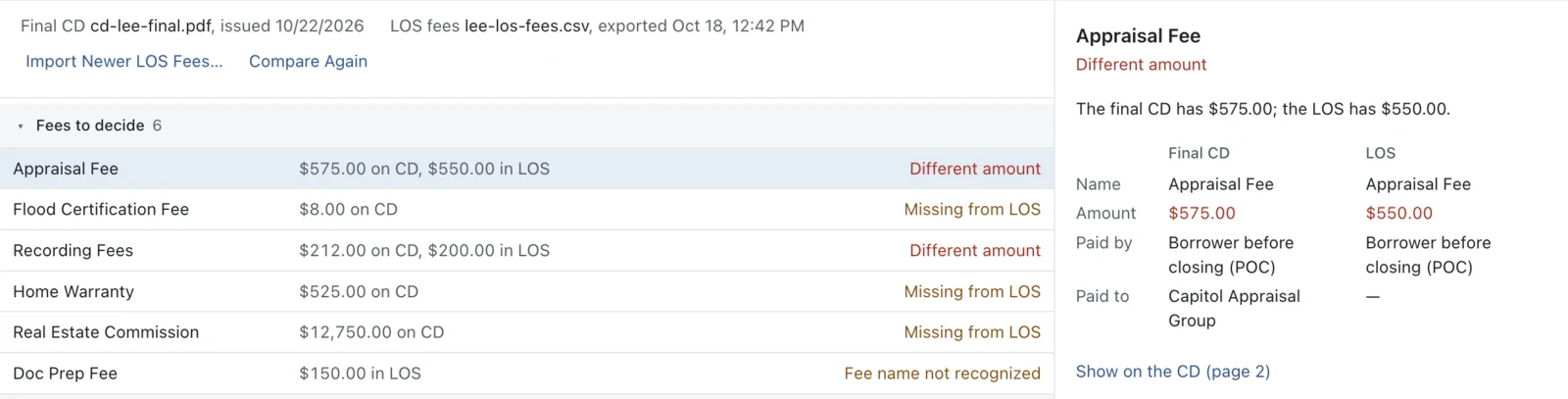
3Fix the LOS
Click Update LOS on each correction you agree with. On the LOS page, the extension fills in those fields and nothing else. You look it over and click Save, and LoanRelay checks that the new values stuck.
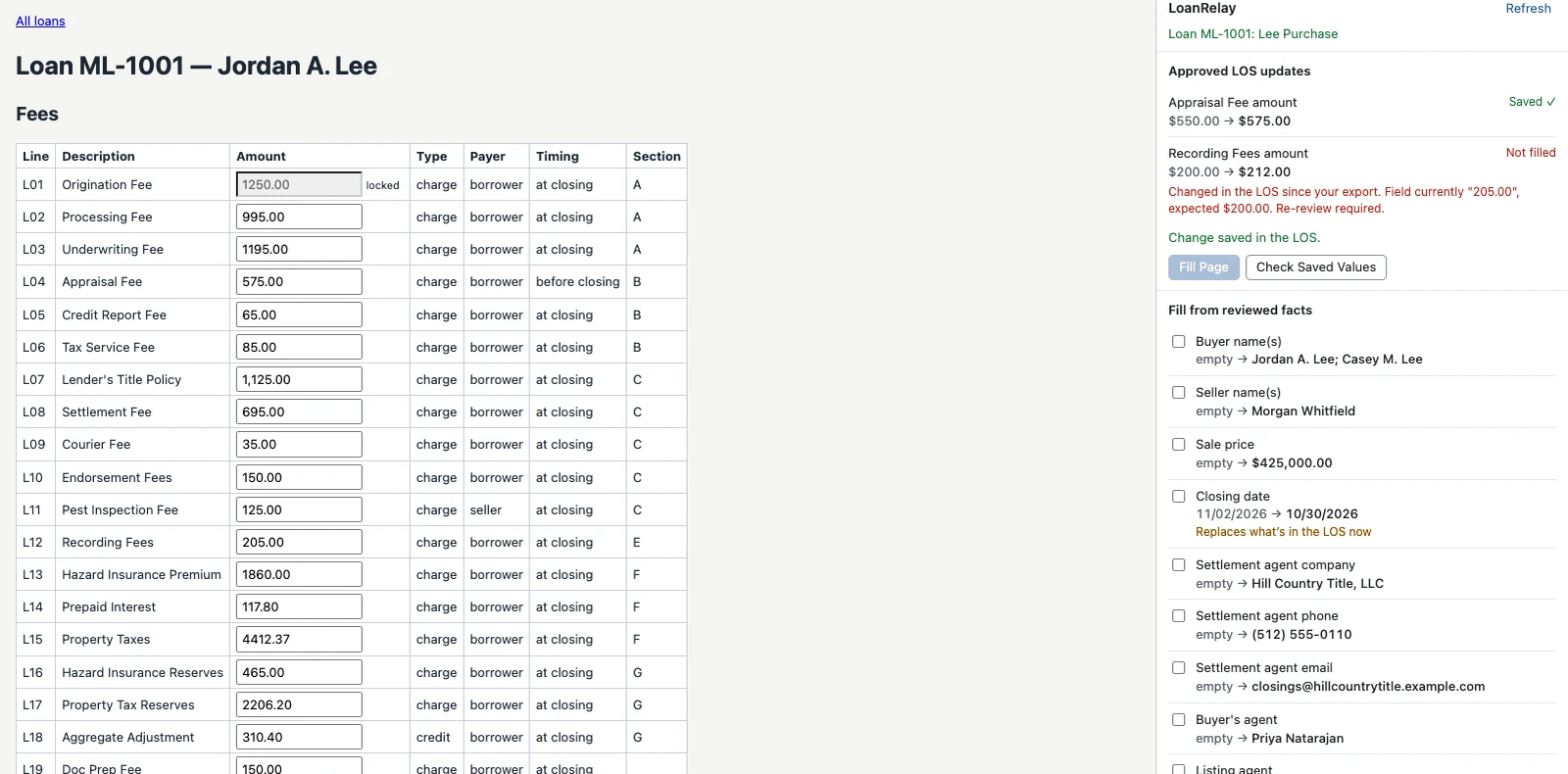
Purchase agreements, too
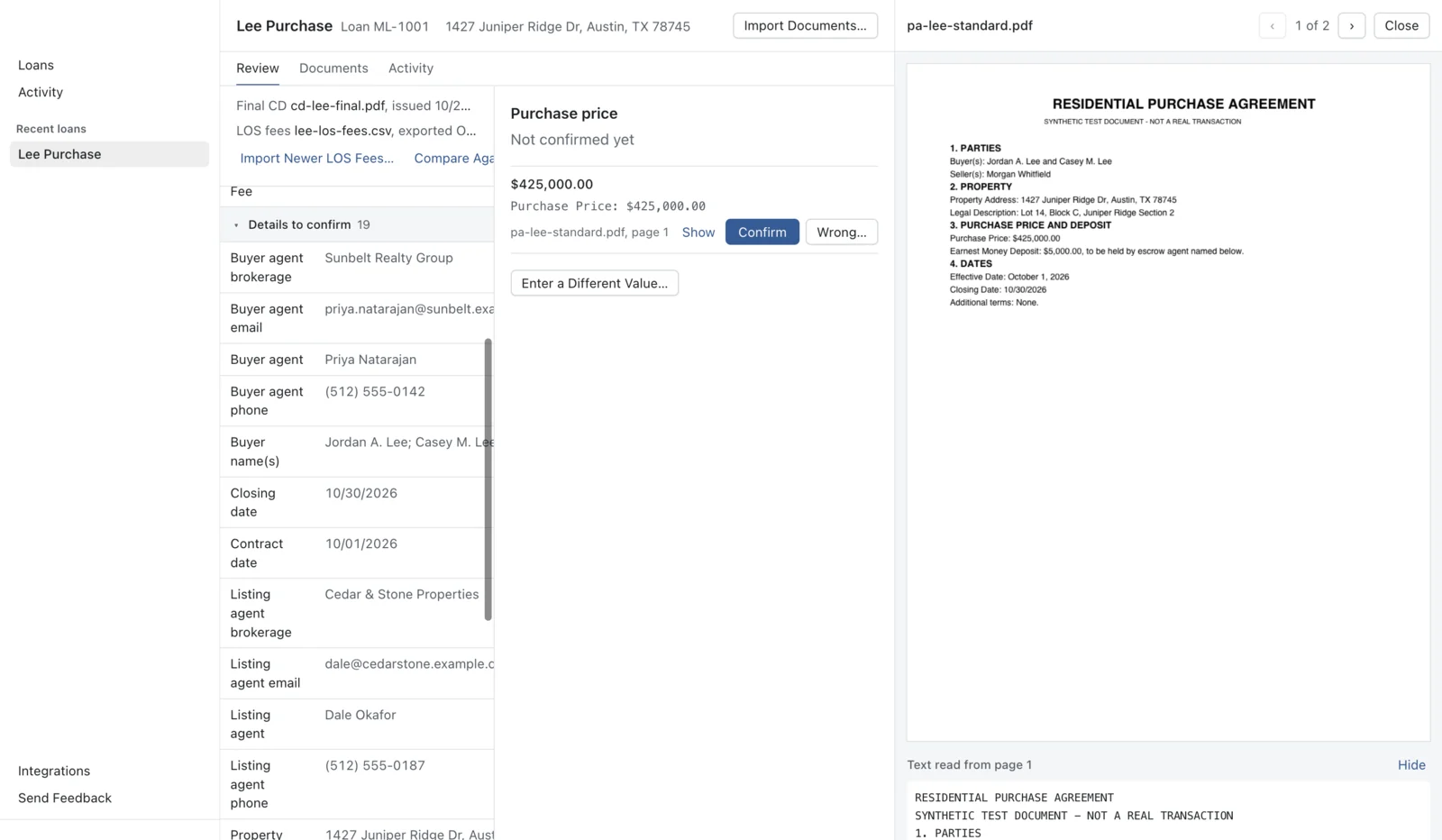
Import the purchase agreement and LoanRelay pulls out the buyer and seller, price, closing date, and agents. Each value sits next to the page it came from. You confirm it, and only confirmed values can go into the LOS.
Every approval, fill, and save check is recorded on the loan’s Activity tab.
When a document changes
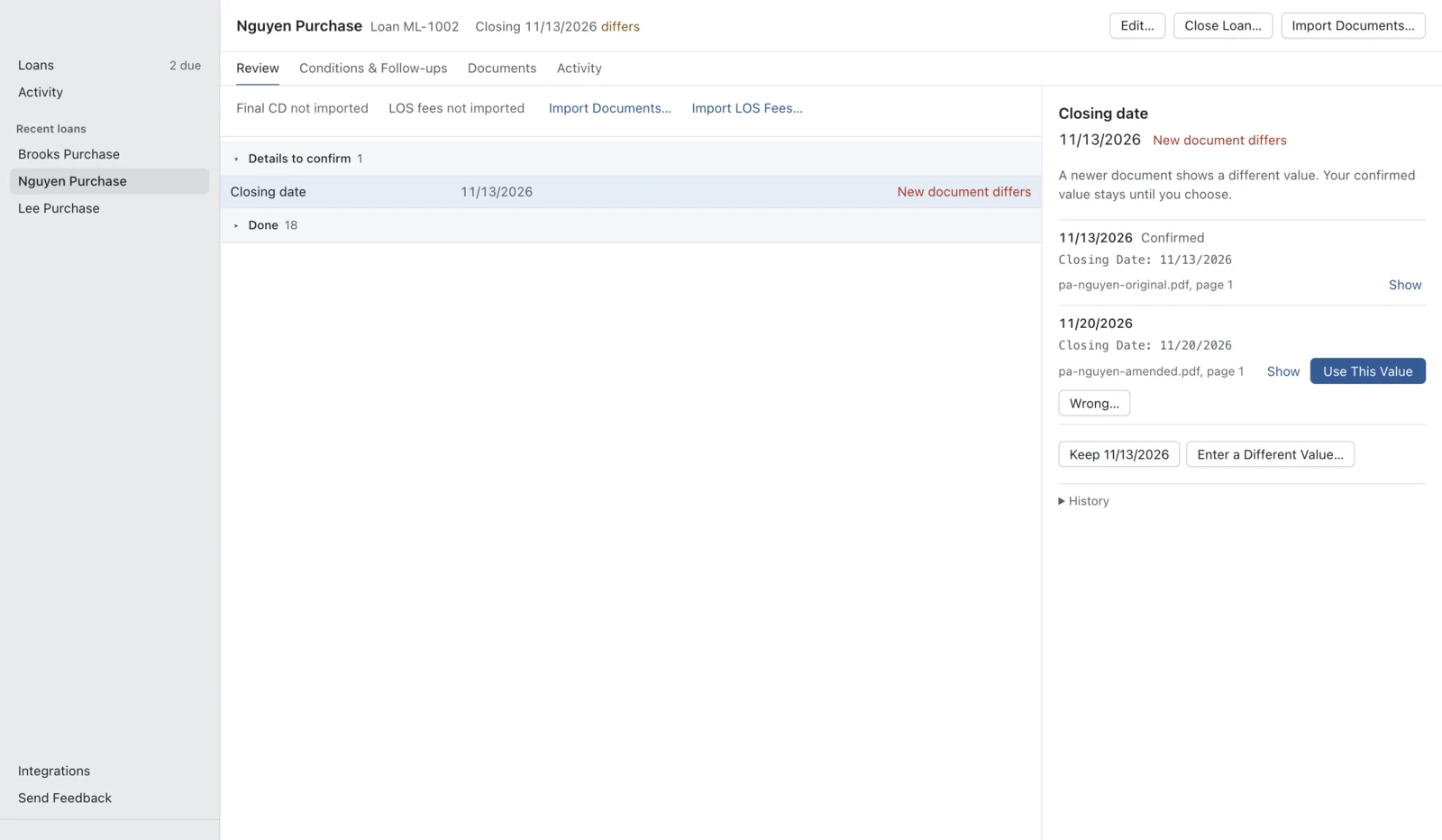
Import an amended purchase agreement or a revised CD and LoanRelay shows what changed: the closing date moved from 11/13 to 11/20, or a fee went up on the new CD. The value you confirmed stays until you choose which one is right.
Every loan’s open items in one list
Open Items
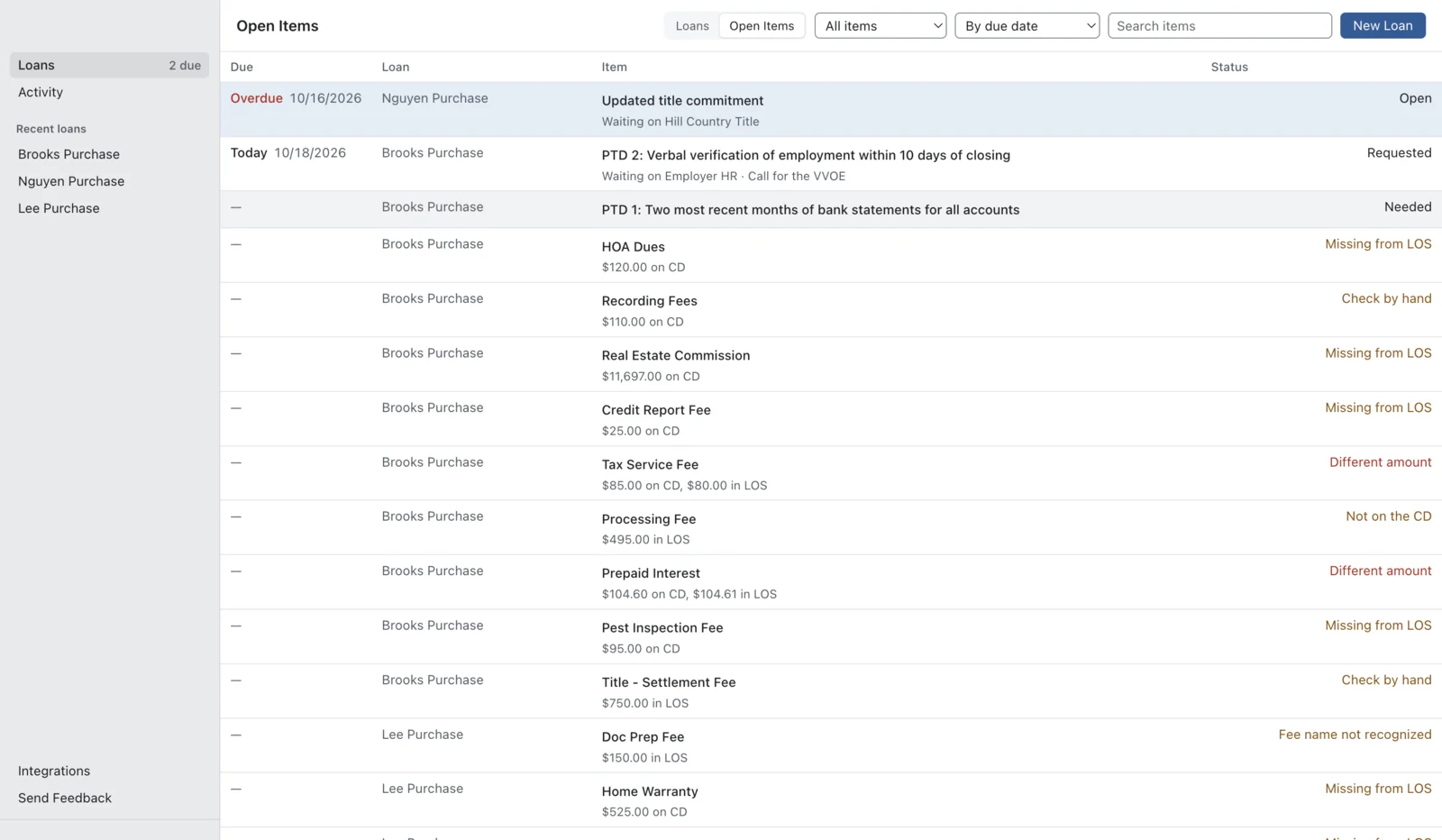
Fees to decide, details to confirm, corrections waiting for the LOS, and conditions and follow-ups that are due, across all your active loans, sorted by due date. Click one to go straight to it. An item goes away when the work behind it is done.
Conditions and follow-ups
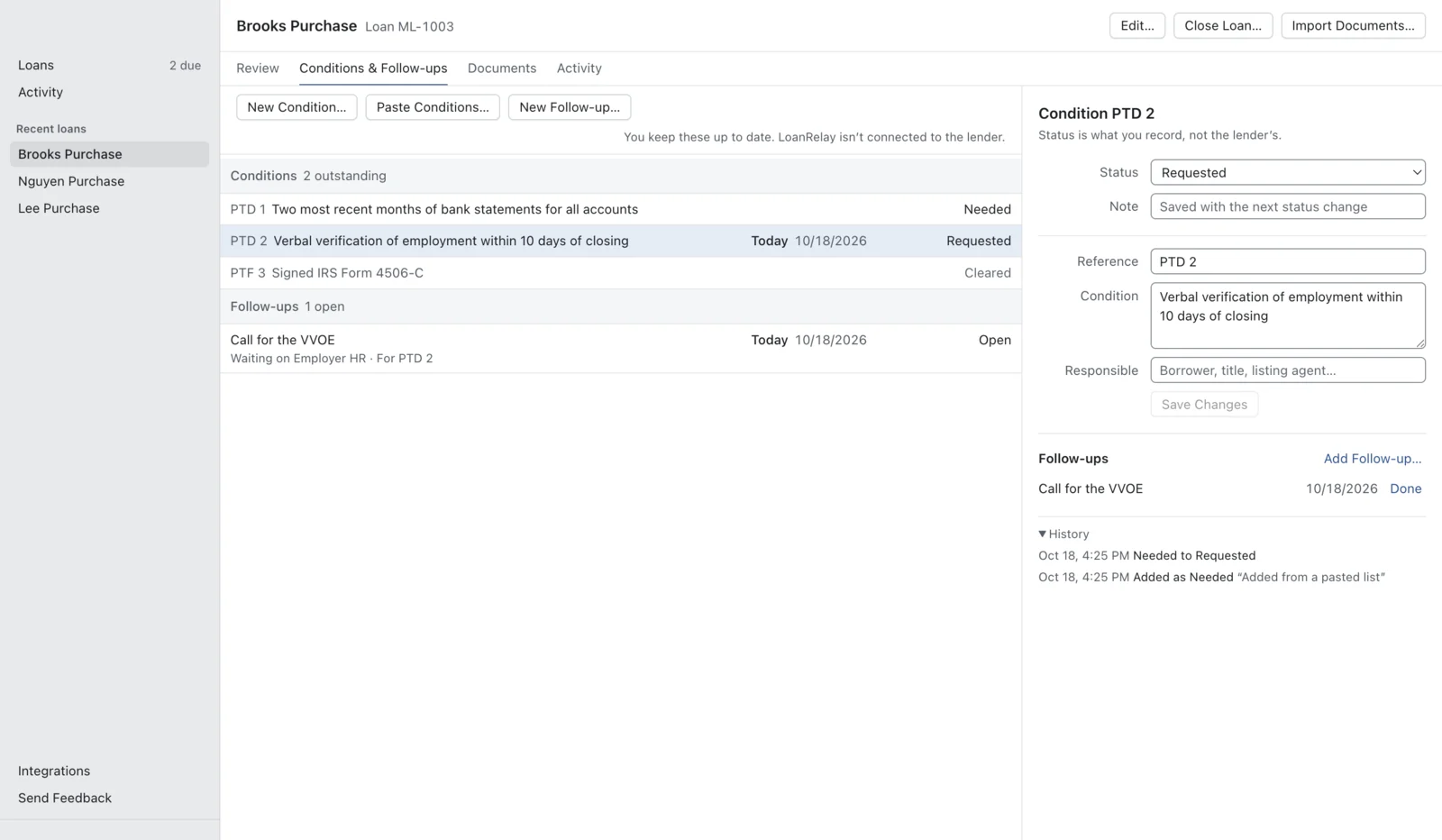
Paste the lender’s condition list and LoanRelay splits it into conditions you can track from Needed to Cleared, with a history of every change. Add a follow-up date and who you’re waiting on, and it shows up in Open Items when it’s due.
You keep these up to date. LoanRelay isn’t connected to the lender.
What it won’t do on its own
- It never changes a field you haven’t approved.
- It skips a field if the loan number doesn’t match, the field is locked, or someone changed it after you compared.
- It never clicks Save or submits a page.
- It never replaces a value you confirmed, or marks a condition cleared, without you.
- It doesn’t send loan data to us or anyone else. It stays on your computer, encrypted, and only the values you approve go into your LOS.
Early access
LoanRelay is new, and I’m setting it up with each processor personally. If you’d like to try it on your loans, email me at prestonbrown835@gmail.com.
Preston Brown
Questions
What do I need to run it?
A Windows 10 or 11 PC, or a Mac with macOS 13 or later, plus Chrome or Microsoft Edge for the extension.
Which LOS systems does it work with?
LOS screens that open in Chrome or Edge. When we set you up, we check that LoanRelay reads and fills your LOS screens correctly before you rely on it.
Does it connect to the lender or pull my conditions?
No. You paste or type the conditions and keep their status up to date. LoanRelay isn’t connected to the lender’s portal or your LOS’s task lists, so Open Items shows the work LoanRelay knows about, not your whole pipeline.
Do I need IT to approve it?
It installs for your user account, so admin rights usually aren’t needed. Many companies still require approval for new software that touches borrower information, so check your company’s policy first.
Where does my loan data go?
It stays in an encrypted database on your computer. The only place it goes is your own LOS, when you approve a value and save it there. There’s no account and no cloud copy, and we never see your loans. Privacy Policy
What’s the recovery key for?
LoanRelay shows it once, the first time you open the app. You only need it if your computer can no longer unlock your data, for example on a new computer or after a keychain reset. Keep it in a password manager. Nobody else has a copy.
Does it cost anything?
Not while it’s in early access.
How do I remove it?
Uninstall it like any other app and remove the extension from your browser. Your loan data stays in your user folder until you delete it. Where to find it